How Long Can Meta Glasses Record? Ray-Ban Meta Gen 2 vs POV Camera Glasses
How long can Meta glasses record? Ray-Ban Meta clips stop at 3 to 5 minutes, and reviewers drained the battery in about half an hour of straight video.
On this page
Key Takeaways
- How long can Meta glasses record in one go? A single clip stops after 3 minutes on most models, or 5 minutes on Oakley Meta Vanguard, per Meta's own shooting guide.
- Ray-Ban Meta Gen 2 is rated for up to 8 hours of moderate use, a figure for mixed use and not for video. Reviewers who recorded video back to back ran out in roughly 31 to 35 minutes.
- Meta frames recharge only inside their case. You can top them up quickly between takes, but you cannot record while they charge.
- iVUE Denali is rated for 90 minutes of continuous recording, and in our own 1080p testing it typically runs in the low to mid 80s. Denali and Glide both keep recording while plugged into a USB-C power bank.
- For social clips plus an assistant, Meta glasses fit. For one long, unbroken POV recording, a dedicated camera glasses recorder fits better.
iVUE makes camera glasses, including the Denali and the Glide compared below. That is our stake, stated before any numbers; we've noted where it shapes our view. Meta's glasses do a lot of things well, and several of them are things ours do not attempt. This post answers one narrow question, centered on Ray-Ban Meta Gen 2, the most widely reviewed model: if you want to record a whole ride, hike or game, how many minutes of video will you actually get? The Oakley Meta frames appear where their tests add evidence.
Quick Comparison: Recording Time per Charge
Meta glasses record for minutes per clip and about half an hour of video per charge. POV camera glasses record for well over an hour without stopping. None of the rated battery figures below is a video figure: Meta rates "moderate" use and Oakley rates "typical" use. The tested column is video-heavy use reported by named reviewers, each dated.
| Model | Longest single clip | Rated battery | Video-heavy use, reported | How it recharges | Price |
|---|---|---|---|---|---|
| Ray-Ban Meta (Gen 2) | 3 min (Meta guide) | Up to 8 hr, moderate use | About 35 min of straight video (GregglesTV, Oct 2025) | Case only, up to 48 hr in the case | From $379 |
| Oakley Meta HSTN | 3 min (Meta guide) | Up to 8 hr, typical use | Died in as little as 3 hr with frequent 3K bursts (Doctor Dynamo, Mar 2026) | Case only, up to 48 hr in the case | From $399 |
| Oakley Meta Vanguard | 5 min (Meta guide) | Up to 9 hr, typical use (6 hr audio) | 31 min 23 s of back-to-back 3K clips (Potato Jet, Jan 2026) | Case only, up to 36 hr in the case | From $499 |
| iVUE Denali | No cap; recording runs until you stop it | 90 min continuous | Low to mid 80s min at 1080p (iVUE in-house testing) | USB-C cable; records while charging | From $159 |
| iVUE Glide | No cap; recording runs until you stop it | 90 min continuous | Not separately published | USB-C cable; records while charging | $119 |
Meta Glasses Video Length: Why a Clip Ends Within Minutes
Every Meta recording is a clip with a ceiling. Meta's own guide to shooting POV says clips default to 30 seconds. In the Meta AI app you can extend that to 3 minutes on most devices, or 5 minutes on Oakley Meta Vanguard. Some Gen 2 owners report 5-minute clips at 1080p. Treat 3 to 5 minutes as the working range (checked September 24, 2026).
When a clip ends, the glasses stop. Pressing the button again starts a new file. For a 40-minute descent that means eight to fourteen restarts, and a moment that happens during a restart is not recorded.
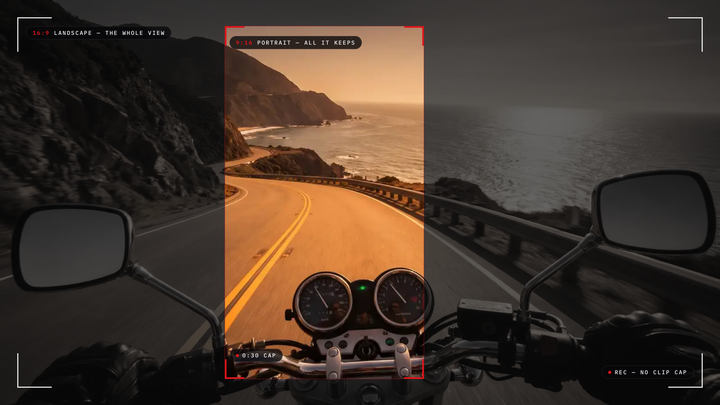
The cap is a design choice, and for social video it is a reasonable one: most posted clips run well under three minutes. We covered how clip caps and vertical framing interact in portrait lock and clip caps, so this post stays on the battery side of the question.
Ray-Ban Meta Battery Life When You Are Recording
The rated hours are real, and they describe mixed use, not recording. Meta's battery help page lists up to 8 hours for Ray-Ban Meta Gen 2 "for moderate usage." It adds that times vary with use. Oakley's Meta FAQ rates HSTN at up to 8 hours of typical use. Vanguard gets up to 9 hours of typical use, or 6 hours of continuous audio. Neither maker publishes a recording figure.
Video is the most demanding thing these frames do, and reviewers who filmed continuously saw a very different number:
- Oakley Meta Vanguard: in a January 2026 test by Potato Jet, the battery lasted 31 minutes and 23 seconds. He recorded 3K and started a new clip at every 3-minute cutoff. It did not overheat.
- Ray-Ban Meta Gen 2: GregglesTV's October 2025 review put the limit at about 35 minutes of straight video, while also reporting close to 10 hours of mixed use.
- Oakley Meta HSTN: Doctor Dynamo had the glasses die in as little as 3 hours (March 2026). He was filming 2 to 3 minute bursts of 3K every 10 to 15 minutes at ringside events.
- Oakley Meta Vanguard, mixed: DC Rainmaker got about 90 minutes while taking a lot of 3K photos and videos with auto capture on (October 2025).
These are individual reviewers, not lab measurements, and firmware changes since those dates may shift them. The pattern across all four is consistent, though: the hours on the box describe a day of mostly listening, and continuous filming uses the battery up in about half an hour.
Ray-Ban Meta Gen 2 is rated for up to 8 hours of moderate use, not video. Reviewers who recorded back to back ran out of battery in roughly 31 to 35 minutes, and every clip stops after 3 to 5 minutes.
Recharging Mid-Outing: Case vs Cable
You cannot record on Meta glasses while they charge, and that shapes a long day as much as battery size. Meta's charging help page is plain about it: the charging case "is the only way to charge the glasses." There is no port on the frames, a point DC Rainmaker also made in his Vanguard review. The case carries a lot of reserve, up to 48 hours for Gen 2, and top-ups are fast; Oakley lists HSTN at up to 80% in 45 minutes. But while the glasses sit in the case, they are not on your face and not recording.
Denali and Glide take the opposite approach. Each has a USB-C port on the frame and records while it charges. Run a cable to a power bank in your pocket, such as the iVUE Powerbank, and the recording keeps going past the battery's own limit. The Denali manual puts it directly: connected to a power source, recording time extends indefinitely.
Meta glasses recharge only inside their case; Denali and Glide keep recording while a USB-C power bank charges them.
Long recordings are also split into files you can manage. Denali's Cyclic Record setting divides footage into 3 to 30 minute files, and the recording never stops between them. Glide's Segment Time setting does the same from 5 to 30 minutes. If Denali's battery runs out mid-recording, it saves the file in progress before it powers off.
Who Meta Glasses Are For
Meta glasses suit someone whose footage is moments: a few clips on a hike, a first-person shot to post the same evening, a hands-free photo. They add open-ear audio, calls and a voice assistant, and their mixed-use battery covers a full day of that pattern. If you rarely hold record for more than a couple of minutes, the clip cap will almost never get in your way, and the case turns short top-ups into a habit.
Who POV Camera Glasses Are For
A dedicated recorder suits someone whose footage is the whole event: a full ride, a lesson, a round of golf, a shift at work you need documented. Denali records 2K at 30 frames per second or 1080p at 60 in 16:9, stores up to about 22 hours on a 128GB microSD card, and has no clip cap. Glide records 1080p, holds about 85 hours on 64GB of built-in storage, and weighs 46 grams. Neither has an assistant or speakers. That is the trade.
Price and Value
Starting prices, checked on each store on September 24, 2026:
| Model | Starting price | What the price buys |
|---|---|---|
| Ray-Ban Meta Gen 2 | $379 | Camera, open-ear audio, calls and an assistant |
| Oakley Meta HSTN | $399 | The same, in a sport frame |
| Oakley Meta Vanguard | $499 | Wraparound sport frame, centered camera |
| iVUE Denali | $159 | 2K recording and a phone app; $179 or $189 with a memory card |
| iVUE Glide | $119 | One-button 1080p recording, 64GB built in |
The Meta frames spread their price across several jobs. Denali and Glide put theirs into one job, recording, done for as long as you have power.
Which to Choose
If you want to post short clips, take calls and ask questions hands-free, choose Meta glasses and plan on the case for top-ups.
If you want an unbroken record of a ride or an event, choose camera glasses that record while charging. Denali adds 2K and a phone app for live preview; Glide is lighter, simpler and cheaper. Our Denali vs Glide collection lays the two side by side.
If you already own Meta glasses and want longer takes, restart clips on purpose at natural breaks and carry the case. For a broader look at their video strengths, see our Ray-Ban Meta video review.
Frequently Asked Questions
How long can Meta glasses record video?
One clip lasts up to 3 minutes on most Meta models (5 on Vanguard), and reviewers got roughly 31 to 35 minutes of back-to-back video per charge.
Can you record on Meta glasses while they charge?
No. Meta says the charging case is the only way to charge its glasses, and the frames have no charging port, so recording stops while they recharge.
How long does the Ray-Ban Meta battery last?
Meta rates Gen 2 at up to 8 hours of moderate use, which is not a video figure. Continuous video drains it far faster: about 35 minutes of straight recording in one review.
How long can iVUE Denali record on one charge?
Denali is rated for 90 minutes of continuous recording; in our own 1080p testing it typically lands in the low to mid 80s. Plugged into a power bank, it keeps recording.