
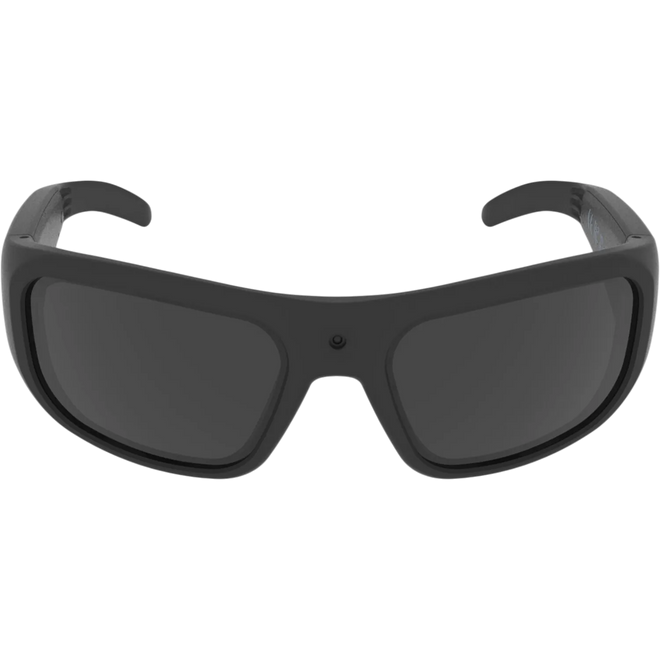
They get warm while recording. That's normal.
The arms of the glasses warm up during recording, the way any working camera does. The Glide is doing full camera work inside a 46 gram frame, so warmth at the arms during longer recordings is expected behavior, not a fault.
Setup and first-time use
The Glide is self-contained 1080p HD camera glasses with 64GB built-in memory and one-button operation. The two things to learn first are the single button and the recording light.
What is in the box
- iVUE Glide camera glasses with polarized tinted lenses (installed)
- Clear indoor lenses, in a separate pouch (both lens sets are included)
- USB-C charging and data cable
- Lens cleaning cloth and carrying case
The tinted polarized lenses come installed. The clear indoor lenses are in a separate pouch in the box. If you only see one pair at first, check all pouches and the case before assuming anything is missing.
Charge before first use
Open the rubber cover on the outer end of the left arm and connect the USB-C cable to a wall adapter or computer. A small red light next to the port means it is charging. The light turns off when fully charged, after about 2 hours.
Power on and reach standby
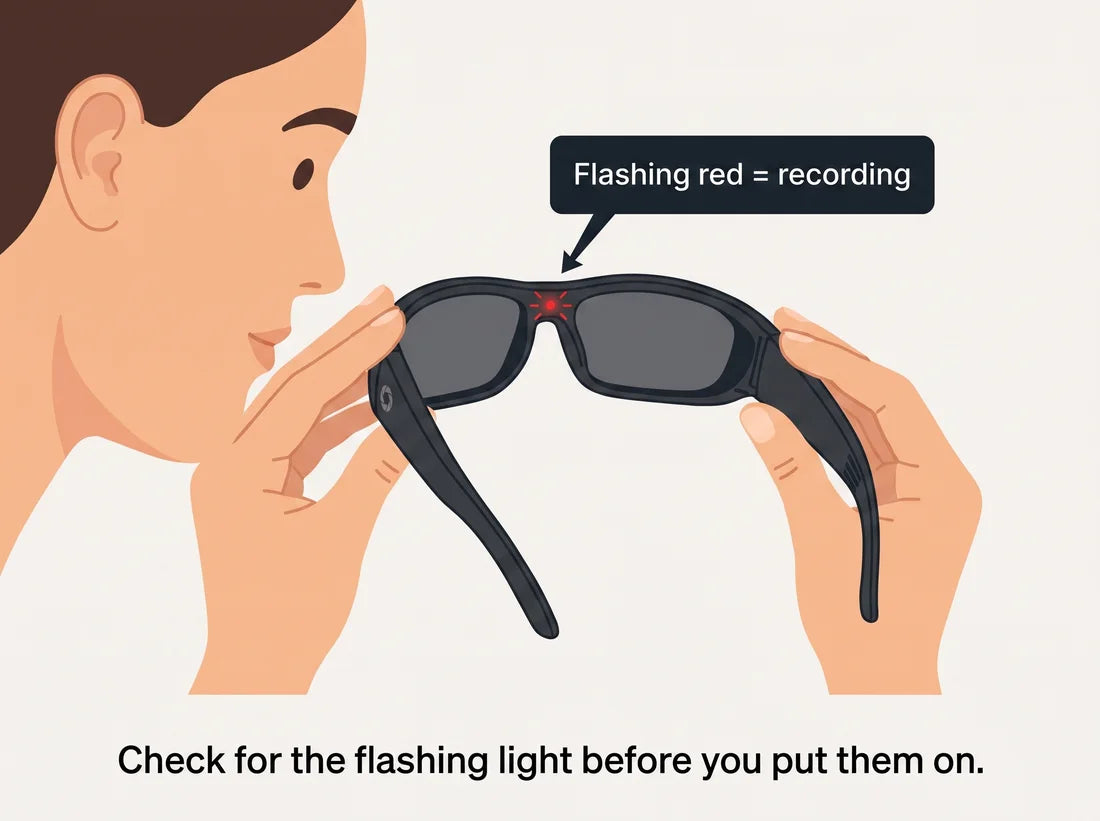
From off, a single press powers on and starts recording immediately (the front light flashes red). To reach standby without recording, press once to start, then press again to stop. Solid red means standby (on, not recording).
Confirm the recording light before wearing
The indicator sits on the inside of the frame, facing your face, so it is hidden while you wear the glasses. Build the habit of confirming the flashing red light before you put them on. That one check prevents almost all "I thought I was recording" moments.
The one-button control
The single button on the outside of the left arm does different things depending on the current state:
| Current state | Action | Result |
|---|---|---|
| Powered off | Single press | Powers on and starts recording |
| Recording (flashing red) | Single press | Stops recording, enters standby |
| Standby (solid red) | Single press | Takes a photo (blue flash confirms) |
| Standby (solid red) | Double-click | Starts recording |
| Any state | Long press | Powers off completely |
from standby, a single press takes a photo, not a video. To start a video from standby, use a double-click (two quick presses).
Indicator lights
Standby, on but not recording
Recording in progress
Photo captured
Charging (off when full)
Swapping the lenses
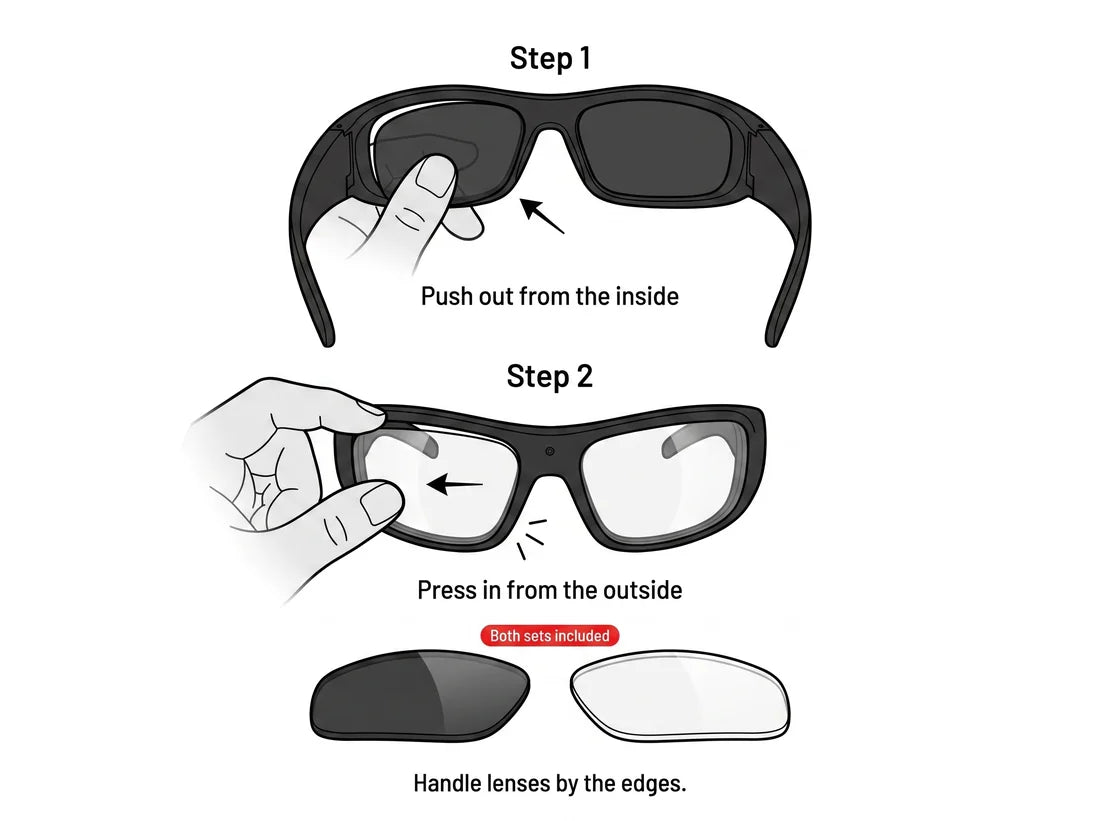
Work over a soft surface. Push the lens out from the inside of the frame, then seat the replacement from the outside until it clicks. Handle lenses by their edges only, and never use tools.
Troubleshooting
Solid red light, but recording never starts
Solid red means standby. From standby, a single press takes a photo, not a video. For video from standby, use a double-click.
If the light stays solid from a powered-off start and will not flash:
- Reset the glasses with the small reset hole next to the button (a soft reset, no files deleted), then try again.
- If needed, connect to a computer and format the drive (back up files first, formatting erases everything), then try again.
- If neither helps, contact us for warranty support.
Glasses not detected by the computer
- Power the glasses off before plugging in.
- Use the included cable. Some USB-C cables are charge-only and will not transfer data.
- Press the reset button on the left arm before connecting.
- Try a different USB port, then a different computer.
- If still not recognized, contact us.
Storage shows much less than 64GB
- Connect to a computer and check the drive's total capacity (not just free space).
- If total is correct but free space is low, deleted files may sit in the Trash or Recycle Bin. Empty it while the glasses are connected.
- If total capacity reads much smaller than 64GB, back up your files and format the drive. If it stays wrong, contact us.
No files after recording
- Confirm the front light was flashing red during the session. Solid red means standby, not recording.
- Connect to a computer and look inside the DCIM folder. Videos and photos are stored there, not at the top level.
- If DCIM is empty after a confirmed flashing-red session, try a different USB data cable and port. If files still do not appear, contact us.
Video freezes on a single frame
If a video plays normally then freezes on one frame for minutes, this indicates a hardware issue. Contact us for a warranty evaluation.
Audio sounds very quiet in playback
The microphone is on the inner arm, positioned to pick up your voice while worn. Testing by holding the glasses away from your face makes audio sound much quieter than normal. Test by wearing them and speaking normally. If the config.txt "Movie Audio" setting is N, audio is off, set it to Y. If audio is still inaudible when worn, contact us.
config.txt file is missing or was deleted
The glasses still work without it, using default settings. To restore it, download the replacement config.txt below and copy it to the root (top level) of the glasses' drive, not inside a subfolder. Eject, unplug, and it loads on next power-on.
I only see the tinted lenses
Both lens sets are in the box. The tinted polarized lenses come installed. The clear indoor lenses are in a separate pouch in the packaging. Check all compartments of the case and all pouches before concluding the clear lenses are missing.
The glasses will not turn on
- Connect the USB-C cable to a power source.
- Look for the solid red light near the port, which confirms charging.
- Charge at least 30 minutes before trying to power on.
- If you see no charging light after trying a different cable and power source, contact us.
Video looks soft or blurry
Check for a protective plastic film on the camera lens and peel it off — this is a common cause on new units.
Clean the lens with the included cloth, and test in bright, well-lit conditions.
If footage is still unusually blurry in good light after cleaning, contact us for a warranty assessment.
Will not turn off, or turns back on by itself
This is a hardware defect. Do not continue troubleshooting. Contact us for a warranty replacement.
Frequently asked questions
Does the Glide connect to my phone?
No. The Glide has no WiFi and no app. It is self-contained. Files transfer to a computer over the USB-C cable.
Does it come with both tinted and clear lenses?
Yes, both are in the box. The tinted polarized lenses come installed, the clear lenses are in a separate pouch. Both are interchangeable.
How long does the battery last?
About 90 minutes of continuous recording on a full charge. For longer sessions, connect a USB-C power bank while recording.
How long does it take to charge?
About 2 hours from empty. The red light on the left arm turns off when fully charged.
Can I record while plugged in?
Yes. Connect a portable USB-C power bank while recording for sessions longer than 90 minutes.
How much video does 64GB hold?
About 85 hours at the default 1080p 30fps. Higher settings fill storage faster.
How do I know when I am recording?
The red light on the inside front of the frame flashes when recording, and is solid in standby. Because it faces your face, pull the glasses away briefly to check. The best habit is to confirm the flashing light before putting them on.
Can I take still photos?
Yes. From standby (solid red), a single press captures a photo up to 24 megapixels. A blue flash confirms it.
Is there an SD card slot?
No. The Glide has 64GB of built-in memory. There is no SD card slot and nothing to insert.
Are the glasses waterproof?
No. The Glide is IP22 rated for sweat and light dust during normal outdoor use. It is not waterproof and should not be used in rain or submerged.
Can I use these as safety glasses or for night driving?
No. The Glide is not impact-rated for safety use, and the tinted lenses are not appropriate for night driving. Use proper safety eyewear when eye protection is required.
My videos will not play on my computer
Install the free VLC Player (Mac and Windows). The Glide records MP4 with H.265 encoding, which some computers do not support natively. VLC plays it without extra setup.
Can I disable the audio recording?
Yes. In the config.txt settings file, change Movie Audio from Y to N (and set Update Configuration to Y before saving). The glasses then record video only.
Can I turn off the date and time watermark?
Yes. In config.txt, set Date Time Watermark to N (and Update Configuration to Y).
What is the operating temperature range?
32 to 104 degrees Fahrenheit (0 to 40 Celsius). Battery performance may be reduced in cold conditions.
Warranty and getting help
The Glide is covered by a 6-month manufacturer warranty from the date you receive it, covering defects in materials and workmanship under normal use.
The warranty does not cover physical damage from drops or impacts, water damage beyond the IP22 rating, misuse, or repairs by anyone other than iVUE Camera. To start a claim, contact us with your order number and a description of the issue, and we will provide an RMA number.
Read the full warranty details, or use the contact form below.
Manuals and downloads
The setup guide, the user manual, and a replacement settings file.
Still stuck? We've got you.
Email our team and a real person replies within one business day. Or call any hour; our support agent answers 24/7, looks up orders, and pulls in a human whenever you ask.
OR CALL (435) 500-9747